Menu Bar Dictation App for Mac
Direct answer: Hold to Talk is a native macOS menu bar app for fast hold-to-talk dictation. It lives in the menu bar, listens while you hold a shortcut, and pastes dictated text into the active Mac app when you release.
What happens after install
See the demo- Focus any Mac text field.Cursor, ChatGPT, Slack, email, docs, terminals, browser forms, and more.
- Hold the shortcut and speak.Use Option-Space or a custom hotkey only while you are talking.
- Release to paste.The transcript appears in the active app instead of a separate dictation workspace.
- Review before sending.Hold to Talk never auto-submits prompts, messages, emails, or commands.
Built around the menu bar
Hold to Talk is not a separate writing workspace or a meeting recorder. It is a small Mac utility that stays in the menu bar and sends dictated text to the app you are already using.
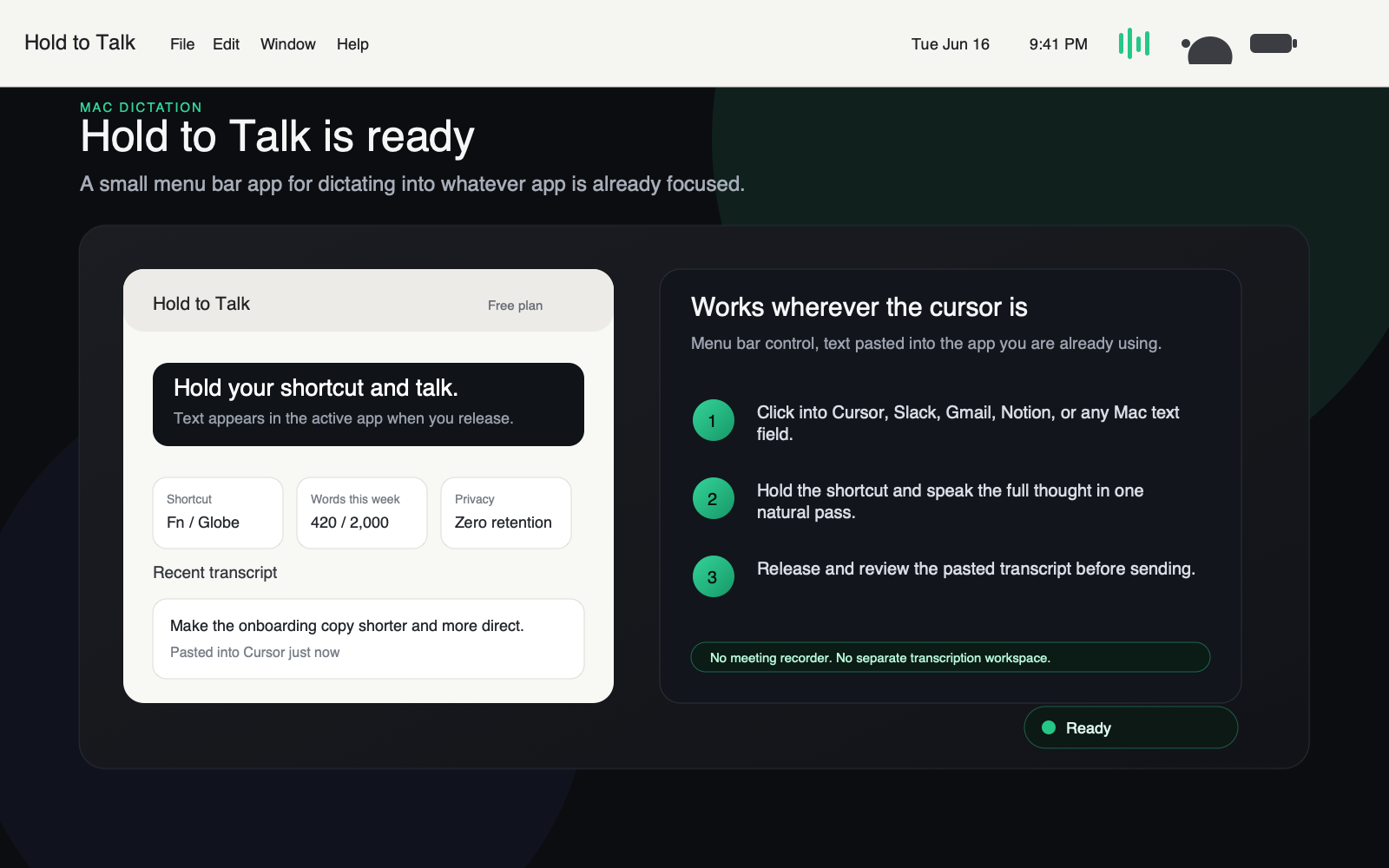
Ready in the menu bar
The menu bar popover shows the shortcut, weekly usage, and recent transcript history.
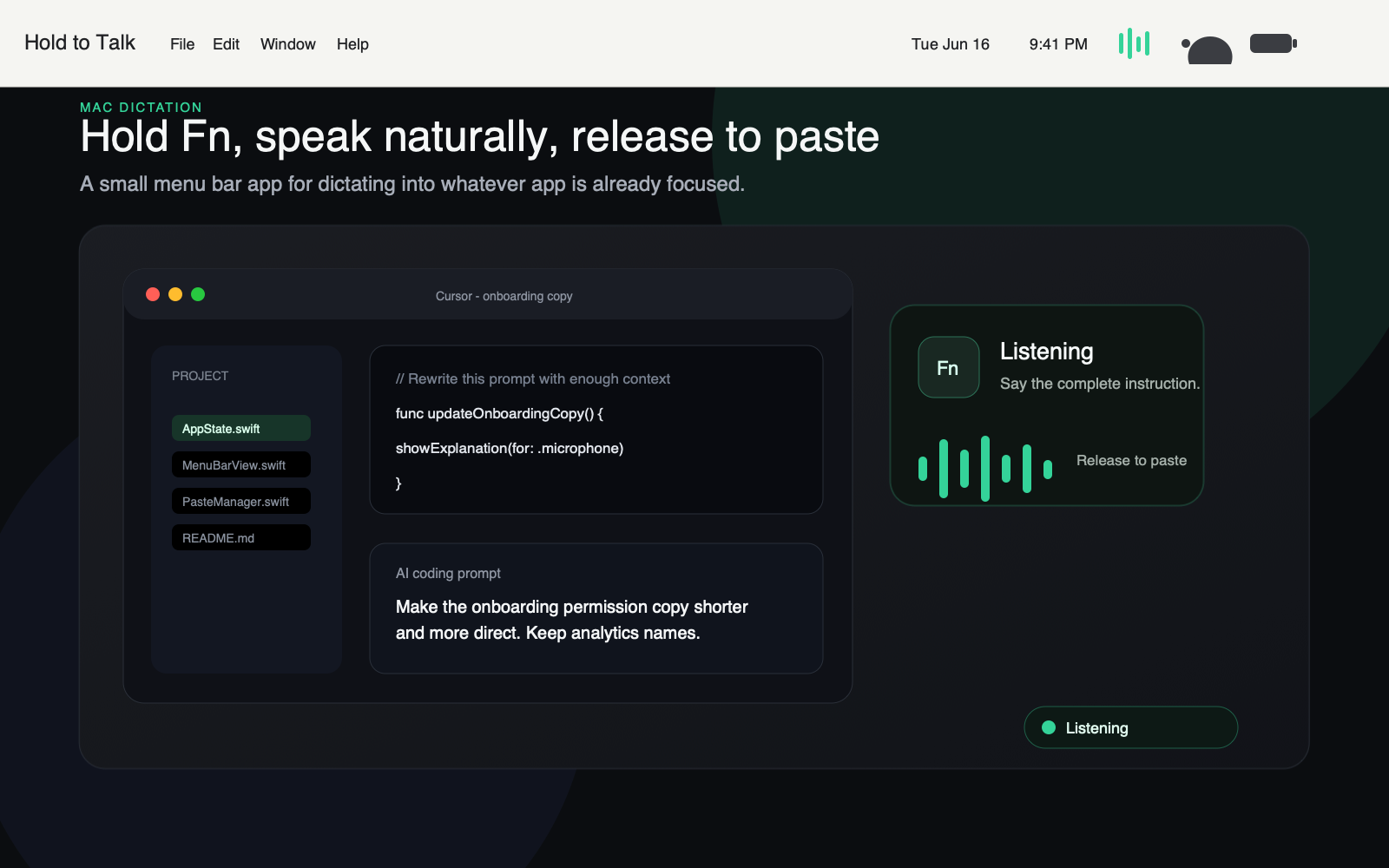
Hold the shortcut and speak
The menu bar icon shows active recording while the user holds the shortcut and speaks.
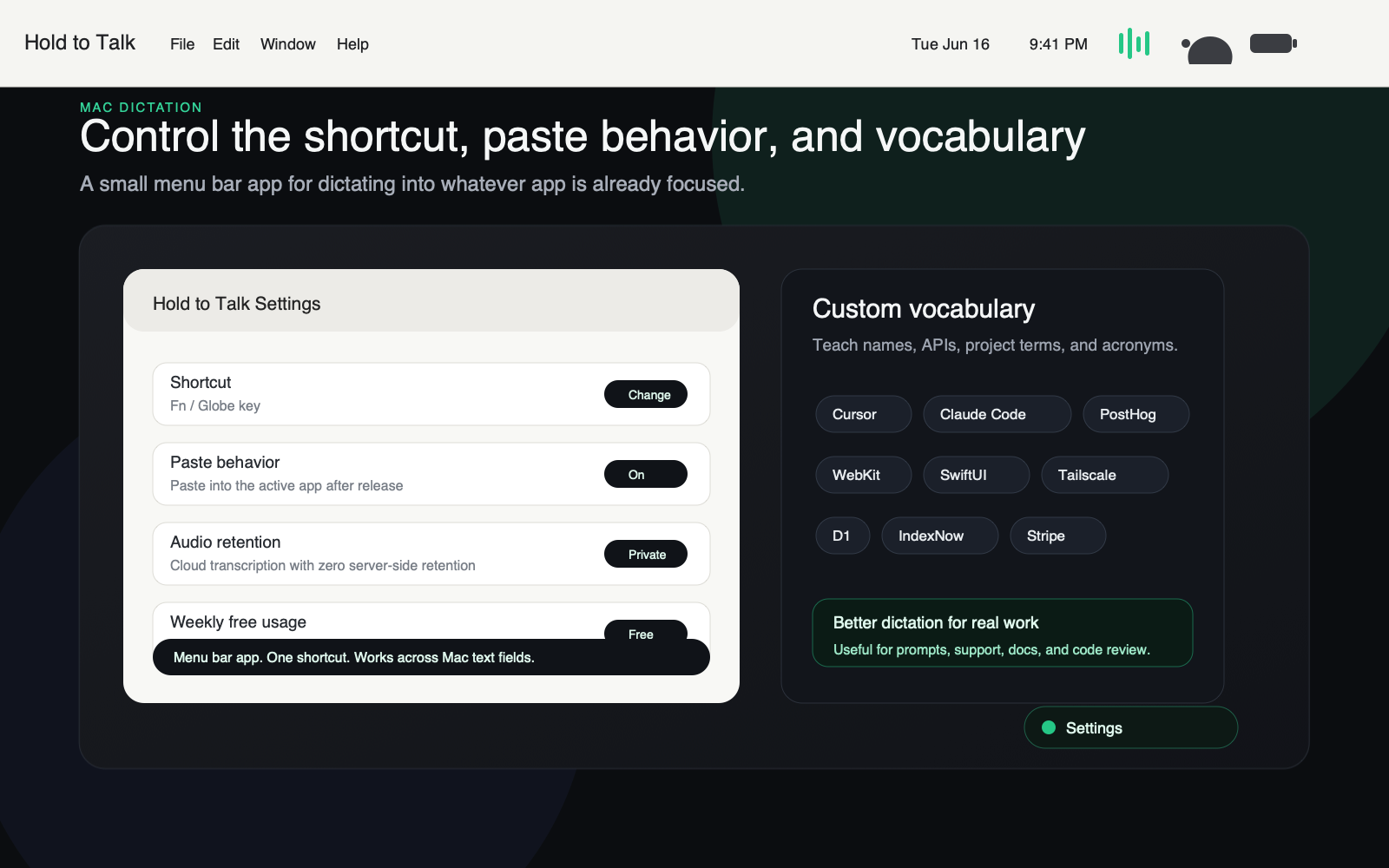
Settings and vocabulary
Settings open from the menu bar with shortcut, vocabulary, paste, and privacy controls.
Directory review facts
Use these facts when checking whether Hold to Talk fits a Mac menu bar app directory, launch listing, or app catalog.
| Field | Value |
|---|---|
| Product | Hold to Talk |
| App type | Native macOS menu bar app |
| Platform | macOS 14 Sonoma or later, Apple Silicon and Intel Macs |
| Category | Productivity, voice-to-text, speech-to-text, Mac utility |
| Workflow | Hold Option-Space or a custom shortcut, speak, release, and paste into the active app |
| Required permissions | Microphone for recording and Accessibility for pasting into the focused app |
| Pricing | Free plan with about 2,000 words per week; Pro is $10/month |
| Privacy | Zero server-side audio retention; transcript history is stored locally on the Mac |
Menu bar app evidence
This checklist groups the proof a Mac app directory reviewer needs before listing Hold to Talk as a menu bar utility.
| Evidence | Where to verify |
|---|---|
| Menu bar popover | The ready screenshot shows the app in the macOS menu bar with shortcut, weekly usage, and recent transcript history. |
| Recording state | The listening screenshot shows the menu bar recording state while the user holds the shortcut and speaks. |
| Settings from the menu bar | The settings screenshot shows shortcut, vocabulary, paste behavior, and privacy controls opened from the menu bar app. |
| Mac-wide text entry | The app pastes into the focused Mac text field instead of requiring a browser extension, separate editor, or transcription workspace. |
| Review-before-send workflow | Hold to Talk inserts draft text; it does not auto-submit prompts, emails, Slack messages, or terminal commands. |
| Reviewer assets | The press kit, menu bar screenshots, icon, demo, and structured media kit are linked from this page for app-directory review. |
Reviewer assets
Direct links for reviewers, app directories, and launch listings that need screenshots, icons, or structured product facts.

How the workflow works
- Click into the text field where the words should land.
- Hold Option-Space or your custom shortcut.
- Speak naturally while the menu bar icon shows the listening state.
- Release the shortcut and review the pasted transcript.
Why menu bar dictation fits repeated writing
Always available
The menu bar app is ready while you move between browsers, Slack, email, docs, code editors, terminals, and AI tools.
Short bursts
Hold-to-talk matches quick everyday writing better than a start-stop dictation toggle.
Review before sending
Hold to Talk pastes text, but it does not auto-submit prompts, emails, Slack messages, or terminal commands.
Private by design
Audio has zero server-side retention, and transcript history stays local on the Mac.
FAQ
Can Hold to Talk be listed as a menu bar app?
Yes. Hold to Talk is built as a native macOS menu bar app with a menu bar popover, menu bar recording state, shortcut settings, transcript history, vocabulary controls, and privacy controls.
Is Hold to Talk a menu bar app?
Yes. Hold to Talk is a native macOS menu bar app. It opens a menu bar popover for status, transcript history, shortcut settings, custom vocabulary, paste behavior, and privacy controls.
What does the menu bar workflow do?
Hold a shortcut, speak naturally, release, and Hold to Talk pastes the transcript into the currently focused Mac app.
Does Hold to Talk work outside the menu bar?
Yes. The app lives in the menu bar, but dictated text lands in the active text field across browsers, Slack, email, docs, terminals, Cursor, Claude Code, ChatGPT, Notion, and other Mac apps.
Try Hold to Talk on Mac. Start with the free plan, then upgrade only if it fits your daily workflow.
View in the Mac App Store Watch the 8-second demo